How Can I Tell If a VPN Is Blocking My Internet?
Learn how to check whether your VPN is cutting off internet access and how to troubleshoot safely.
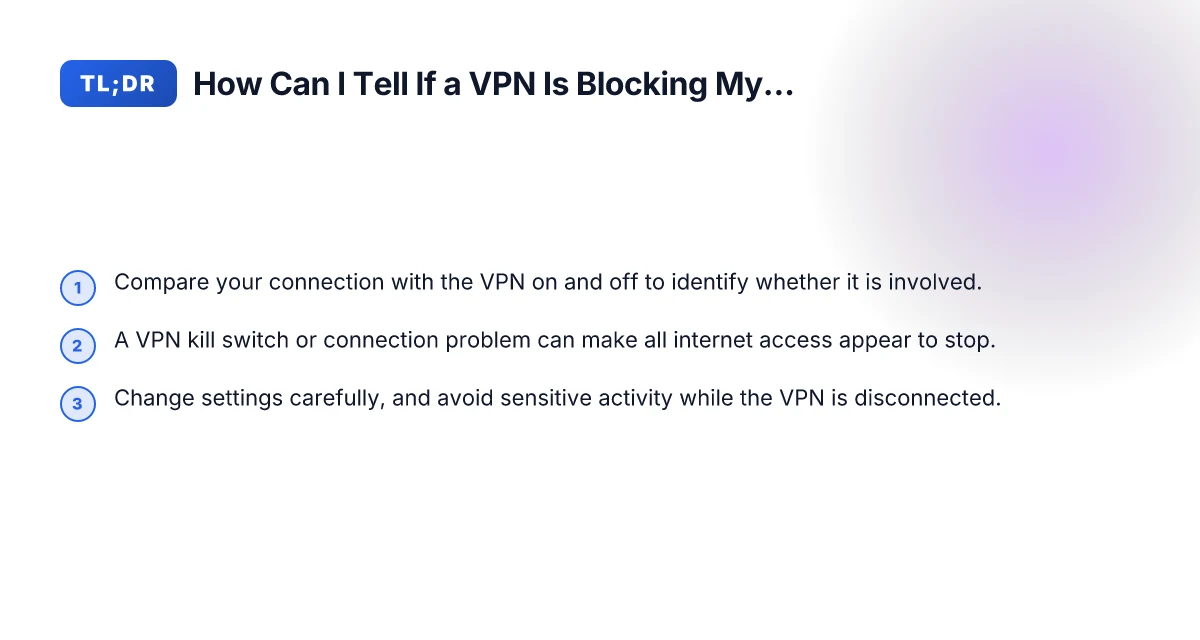
If your internet stops working when a VPN is connected but returns when you disconnect it, the VPN or one of its settings may be blocking traffic. To check, compare the same websites or apps with the VPN on and off, then look for connection errors, a kill switch, or network conflicts. If the internet also fails with the VPN off, the cause is more likely your Wi-Fi, device, router, or internet provider.

Editor's pick: NordVPN — fast, secure VPN — Strong encryption, a no-logs policy and apps for every device. 30-day money-back guarantee. Get NordVPN →
Compare tests that can show whether your VPN is blocking internet access
| Test | What to do | If it works | If it fails | What it suggests |
|---|---|---|---|---|
| Disconnect VPN | Turn the VPN off briefly | Internet returns | Internet stays unavailable | VPN may be involved |
| Try another website | Open a different site | Other sites load | No sites load | Could be a broader connection issue |
| Try another app | Open a different internet-connected app | App works | App also fails | Problem may affect the device’s connection |
| Change VPN server | Connect to another server | Internet returns | Problem continues | Original server may be the cause |
| Try another network | Connect to a trusted Wi-Fi or mobile network | VPN works | VPN still blocks access | Network settings may be involved |
| Check VPN status | Look for connected or error status in the app | Status is connected | Status shows an error or disconnect | VPN connection may not be established |
| Restart the VPN app | Disconnect, then reconnect | Access returns | Access remains blocked | App or connection may need more troubleshooting |
Compiled November 2026; check the provider's site for current details.
| VPN | Obfuscation | From / month | Plan | Free plan | Refund | Alipay | UnionPay | Crypto | Website opens in China | Trustpilot | |
|---|---|---|---|---|---|---|---|---|---|---|---|
 ZoogVPN | Turn on manually Shadow | $2.49/mo | 27 months: $59.99 | Yes | 7 days | ✓ | ✓ | ✓ | ✓ | Official site blocked; our special link opens (4.4 s) | 4.2/5 (195 reviews) |
 NordVPN | Turn on manually Obfuscated Servers / NordWhisper | $3.49/mo | 27 months: $94.23 | No | 30 days | ? | ✗ | ✓ | ✓ | ✗ Blocked | 4.2/5 (51,628 reviews) |
 ExpressVPN | ✓ On by default all servers | $3.00/mo | 28 months: $84 | No | 30 days | ✗ | ✗ | ✓ | ✗ | ✗ Blocked | 4.4/5 (29,706 reviews) |
 Surfshark | ✓ On by default Camouflage, with OpenVPN | See site | See site | No | 30 days | ✗ | ✗ | ✗ | ✓ | ✗ Blocked | 4.3/5 (31,823 reviews) |
 Proton VPN | Turn on manually Stealth, free plan too | $2.99/mo | 12 months: $35.88 | Yes | 30 days | ✗ | ✗ | ✗ | ✓ | ✗ Blocked | 2.1/5 (1,040 reviews) |
 Astrill VPN | Turn on manually StealthVPN / OpenWeb | $12.50/mo | 24 months: $300 | No | See site | ✗ | ✗ | ✗ | ✓ | ✗ Blocked | 1.3/5 (110 reviews) |
 Private Internet Access | Turn on manually Shadowsocks, OpenVPN only | $2.03/mo | 40 months: $81.2 | No | 30 days | ✗ | ✗ | ✗ | ✗ | ✗ Blocked | 4.2/5 (11,033 reviews) |
 CyberGhost | Turn on manually selected servers | $2.19/mo | 28 months: $61.32 | No | 45 days | ✗ | ✗ | ✗ | ✓ | ✗ Blocked | 4.0/5 (24,178 reviews) |
 PureVPN | Turn on manually switch to OpenVPN | $1.69/mo | 60 months: $101.55 | No | 31 days | ? | ? | ✗ | ✓ | ✗ Blocked | 4.4/5 (17,994 reviews) |
 AdGuard VPN | ✓ On by default TrustTunnel | $2.99/mo | 24 months: $71.76 | Yes | 30 days | ✓ | ✗ | ✓ | ✓ | Official site blocked; our special link opens (3.7 s) | 4.3/5 (290 reviews) |
 Mullvad | Turn on manually QUIC / Shadowsocks / LWO | $5.61/mo | €5/mo | No | 14 days | ✗ | ✗ | ✗ | ✓ | ✗ Blocked | 3.2/5 (192 reviews) |
 Windscribe | Turn on manually Stealth / WStunnel | $5.75/mo | 12 months: $69 | Yes | See site | ✗ | ✗ | ✗ | ✓ | ✗ Blocked | 4.7/5 (13,355 reviews) |
 StrongVPN | Turn on manually Scramble, OpenVPN TCP | See site | See site | No | 30 days | ✓ | ✗ | ✗ | ✗ | ✗ Blocked | 4.4/5 (2,695 reviews) |
 LightXtreme 闪连 | Not listed | $7.08/mo | 12 months: $84.99 | Yes | 30 days | ✓ | ✓ | ✓ | ✓ | ✓ Yes (3.5 s) | No page |
Prices checked 2026-11-10 on each vendor's pricing page (cheapest long plan, USD). Check the vendor's checkout for the final price.
Obfuscation checked 2026-11-14 on each vendor's site and help center: "on by default" = nothing to set; "turn on manually" = switch protocol or mode in settings; "not listed" = the vendor describes no obfuscation.
Payment methods checked 2026-11-10 on each vendor's payment pages: all 14 take cards and PayPal; ✗ = not listed, ? = the vendor's own pages disagree.
China access: whether the official website opens from mainland China networks (tests the website only, not the VPN connection). Last checked 2026-11-18 01:02 Beijing time.
Trustpilot score and review count checked 2026-11-10.
Check whether the VPN is the cause
Start with a simple comparison. Make sure your device is connected to Wi-Fi or mobile data, then test a few familiar websites or apps while the VPN is connected. Disconnect the VPN and test them again.
| What you observe | What it may indicate |
|---|---|
| Internet works with the VPN off, but not with it on | The VPN connection, settings, or selected server may be involved |
| Internet fails both with the VPN on and off | The issue may be with your device, Wi-Fi, router, or internet service |
| Most sites work, but one does not | The site may be unavailable or may restrict VPN traffic |
| Some apps work while others fail | App-specific settings, DNS, or VPN routing could be involved |
A single failed website is not enough to conclude that the VPN is blocking your internet. Try more than one site and, if possible, another app. Also check whether other devices on the same Wi-Fi can get online.
Look for signs of a VPN connection problem
Open the VPN app and check its status. It should clearly show whether it is connected and which server or location it is using. A connecting loop, repeated disconnections, or an error message can explain why traffic is not getting through.
Other clues include: NordVPN Windows: How to Download, Install, and Use the App
- The internet stops as soon as the VPN connects.
- Pages keep loading but never open.
- Apps show that they are offline even though Wi-Fi is connected.
- The VPN reports that it cannot reach a server.
- Access returns immediately after disconnecting the VPN.
A kill switch may also be responsible. This feature blocks internet traffic if the VPN connection drops, helping prevent data from leaving outside the encrypted tunnel. If the VPN fails to connect, the kill switch can leave you with no internet access by design.
Check the VPN app’s settings for options named “kill switch,” “network lock,” or similar. If you temporarily turn one off to troubleshoot, remember that your internet traffic may no longer be protected if the VPN disconnects.
Match VPN connection symptoms to checks and next steps
| Symptom | Check | Possible explanation | Safer next step |
|---|---|---|---|
| No websites load | Test access with VPN disconnected | VPN or network connection issue | Reconnect and try another server |
| Internet works only when VPN is off | Compare access with VPN on and off | VPN connection or settings issue | Check VPN settings and contact support |
| VPN keeps disconnecting | Review app status and connection settings | Unstable VPN connection | Update or restart the app |
| One website will not load | Try other websites and apps | Site-specific block or compatibility issue | Check the site or app separately |
| One app cannot connect | Test the same service in a browser | App-specific or VPN compatibility issue | Check the app’s network settings |
| Connection fails on one network | Try a different trusted network | Network may restrict VPN traffic | Ask the network administrator |
| VPN says connected, but access fails | Check whether other services load | Connection may be impaired despite the status | Reconnect or choose another server |
Compiled November 2026; check the provider's site for current details. Microsoft Edge Secure Network VPN Reviews: Is It Safe and Worth Using?
Check your device’s VPN settings
The VPN may be configured in the app or in your device’s network settings. Check whether a VPN or proxy is active, especially if you have used more than one VPN service or installed a work or school profile.
- Windows: Look in the network or VPN settings, and check the VPN app for its connection status.
- Mac: Check the menu bar or VPN settings, as well as the VPN app.
- Android and iPhone: Check the VPN app and the device’s network settings. Menu names vary by device and operating system.
Also look for a proxy setting or another VPN app that might be competing for the connection. If the device is managed by an employer or school, a network profile may be controlled by its administrator. Avoid removing it without permission.
Troubleshoot without weakening your security
Try these steps one at a time, testing your connection after each change:
- Disconnect and reconnect the VPN.
- Choose a different server in the VPN app.
- Close and reopen the app, then restart your device.
- Check for an update to the VPN app.
- If available, try another connection protocol in the app.
- Temporarily disable the kill switch only if you understand the privacy trade-off.
If another server works, the problem may be limited to the original server or route. If none work, check the VPN provider’s support information or contact its support team. Avoid changing unfamiliar advanced settings, such as DNS or routing options, unless the provider’s instructions explain what they do. Nord VPN in China: Does It Work and How to Prepare
If the internet remains unavailable with the VPN disconnected, reconnect your Wi-Fi, test another device on the same network, and check whether your router or internet service is working. This helps separate a VPN issue from a broader connection outage.
If only one website or app is blocked
When most of the internet works but a particular site or app does not, the VPN may not be blocking your whole connection. The service itself may be unavailable, may have a technical issue, or may restrict traffic from VPN servers. Some sites treat VPN traffic differently, so the same page may load when you disconnect the VPN.
Try another server, then compare access with the VPN on and off. If only one service fails and other sites continue to work, check that service’s status or help information. A VPN IP-detection tool can indicate whether an IP address is identified as a VPN or proxy, but it cannot by itself prove why a specific site is unavailable.
Choose a troubleshooting step without weakening your security Does Microsoft Edge Have VPN? What Edge Secure Network Does
| Step | When to use it | Security impact | What to check |
|---|---|---|---|
| Change VPN server | Current server has no access | Keeps VPN enabled | Whether websites load afterward |
| Restart the VPN app | App seems stuck or disconnected | Keeps VPN enabled | App status after reconnecting |
| Check VPN settings | Connection behavior changed | Keeps VPN protections available | Connection and network options |
| Update the VPN app | App may be outdated | Keeps VPN enabled | Whether the issue persists |
| Test another trusted network | Current network may be interfering | Keeps VPN enabled | Whether the VPN connects there |
| Check one site or app separately | Only one service is affected | Keeps VPN enabled | Whether other services work |
| Contact VPN support | Basic checks do not resolve the issue | Avoids disabling protection | App status and troubleshooting results |
| Disconnect briefly for diagnosis | You need to test whether VPN is involved | VPN protection is off during the test | Reconnect promptly after checking |
Compiled November 2026; check the provider's site for current details.
Recommendation
Test the same sites with the VPN on and off, check the app’s connection and kill-switch settings, and try another server. If access returns only when the VPN is disconnected, contact the VPN provider with the error details. Keep the VPN enabled for sensitive activity unless you deliberately accept the privacy risk of going online without it.